
Taffrail User Experience
Taffrail advice can be integrated into your application in many ways — mobile apps, chatbots, websites, and more. This page covers the core UX patterns behind Taffrail's interactive advice.
Chips
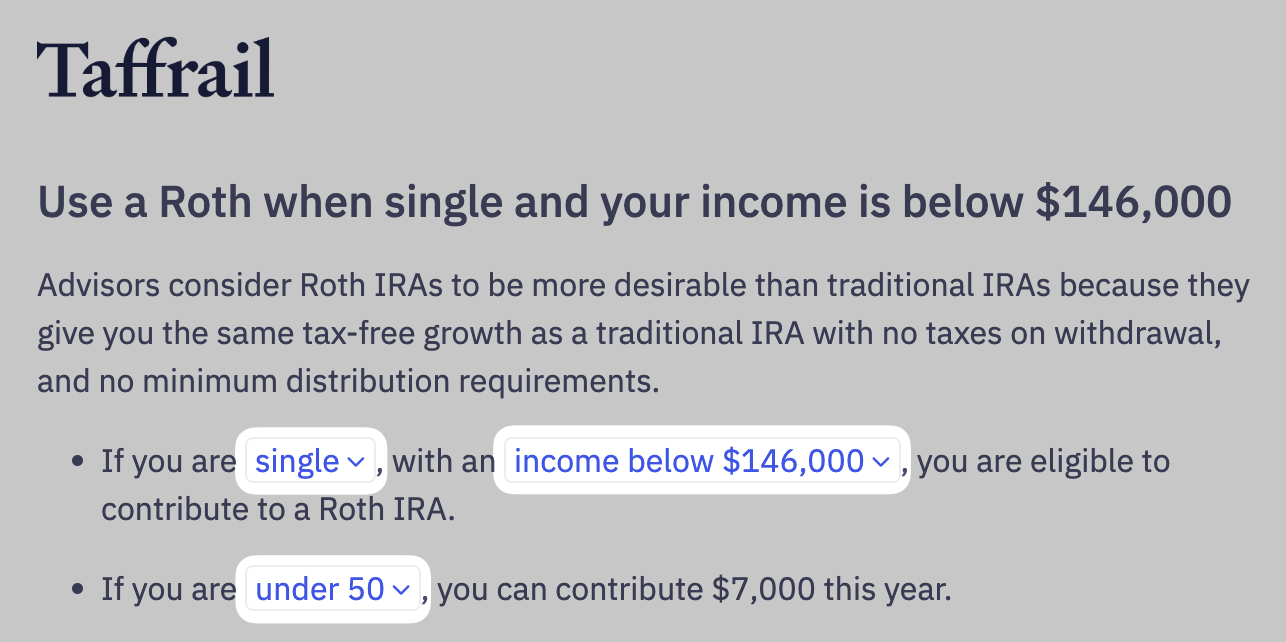
Chips let users modify the assumptions or input data behind a piece of advice. They are compact, rounded rectangular elements that hold text, icons, or both, and they sit inline within a headline, sentence, or table without pulling focus from the surrounding text.
A chip signals that the surrounding content is personalized: the text inside refers to a value the reader can change, and the advice will recompute when that value changes. We call this a Backlink. See Backlinks for the full pattern.
For example, the Taffrail-branded screenshot below shows 3 chips highlighted.
Popups
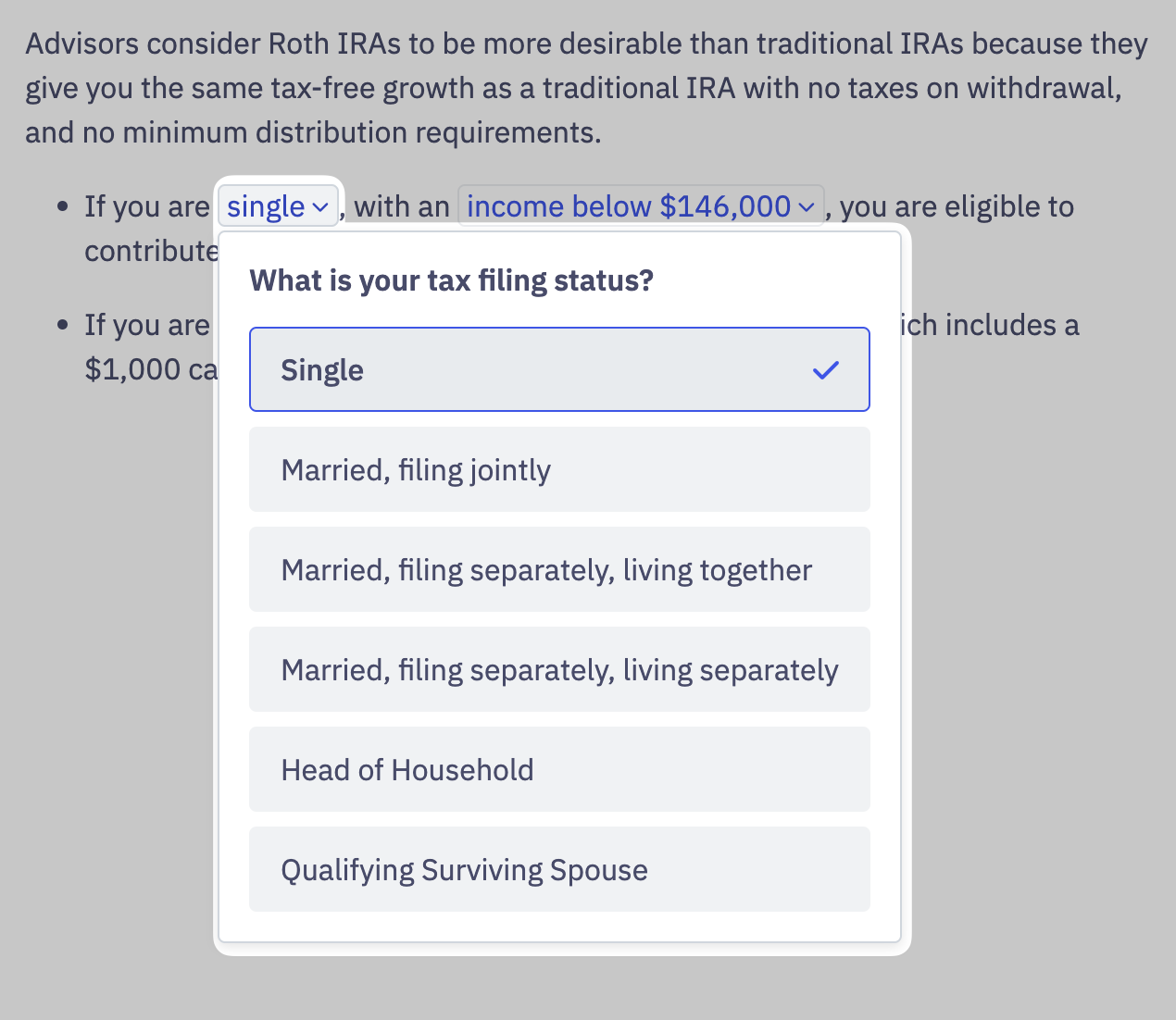
The chip itself is just an entry point. Pressing a chip opens a popup with the form fields a user needs to change the underlying assumption.
In the example below, pressing the "single" chip opens the Backlinked tax filing status question and the available choices.
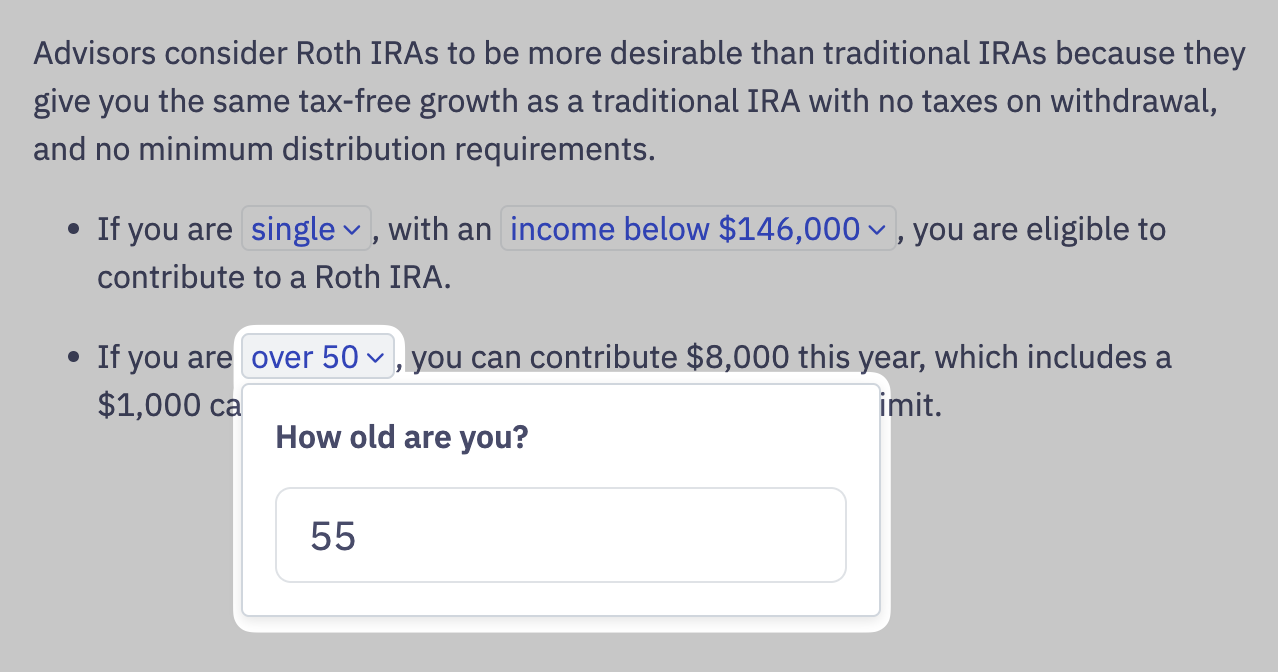
Most questions are multiple choice. Some ask for direct input — numbers, dollar amounts, percentages, dates, and so on.
Putting it together
The Advice Embed ships with the chip-and-popup interface built in, so you don't have to build it yourself. We style the embedded content to match your brand.
To build your own implementation against the API, start with Advice Content Types and the relationship between Variables, Taffrail Vars, and Backlinks.
Updated 5 months ago